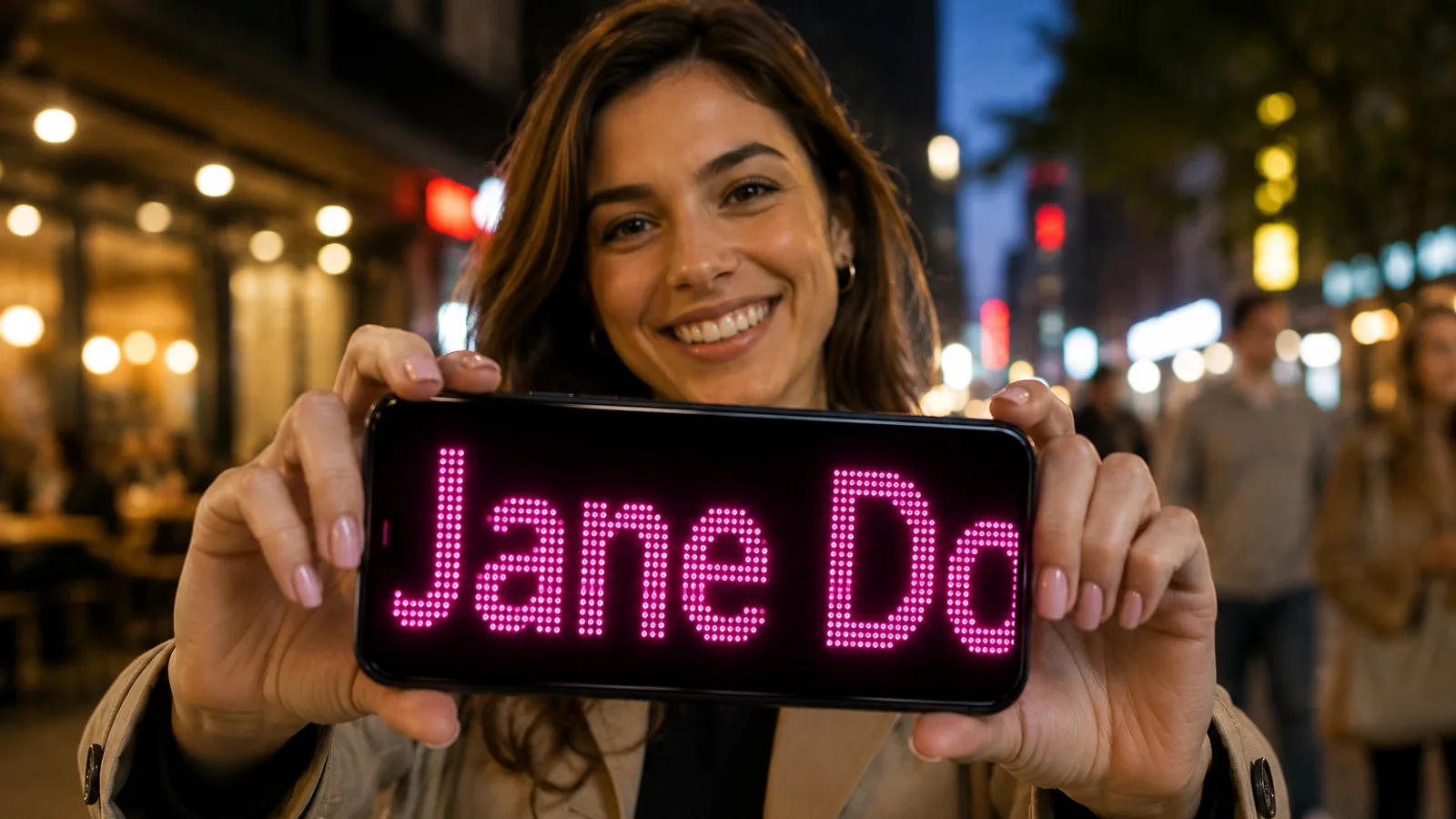
If you need to show a visible message on your phone, the quickest question is often not how to do it. It is whether you should just type something in Notes or use a scrolling text app instead.
The short answer is simple: Notes can work for basic static messages, but a dedicated scrolling text app is usually better when you need the message to be seen quickly, read from farther away, or stand out in a busy place.
That is where LED Scroll Display fits naturally. It is designed for the exact situations where a plain note starts to feel limited: pickups, events, counters, queues, celebrations, and fast public-facing messages.
If you only want the fast recommendation, use Notes for a simple close-range message and use a scrolling text app when visibility actually matters.
Table of contents
- The real difference between Notes and a scrolling text app
- When Notes is enough
- When a scrolling text app is clearly better
- Side-by-side comparison
- Best option for common real-world situations
- A quick decision test
- Why visibility changes the answer
- A practical recommendation
- FAQ
The real difference between Notes and a scrolling text app
At a basic level, both tools let you put text on your screen. That is why many people assume they are almost the same.
They are not.
The real difference is not whether text appears. It is whether the message works well enough in the situation you are in.
Notes is built for writing and reading. A scrolling text app is built for showing. That distinction matters a lot once the message needs to be:
- seen from a distance
- noticed in a crowd
- readable in motion
- adjusted quickly on the spot
- shown full screen without distractions
If your goal is simply to display one short static word to a person standing right in front of you, Notes may be enough. If your goal is visibility, the comparison starts to lean heavily toward a dedicated app.
When Notes is enough
It is worth being fair here. Notes is not useless for this.
Using Notes can be good enough when:
- the message is very short
- the other person is close
- the environment is calm
- you do not need motion
- you only need the message once
Examples:
- showing a table number to a friend
- displaying a short name at close range
- writing a quick static cue in a quiet room
In those cases, speed matters more than presentation, and Notes has one clear advantage: almost everyone already has it open or can open it instantly.
When a scrolling text app is clearly better
The moment visibility becomes part of the problem, a scrolling text app becomes the stronger tool.
It is usually better when:
- people need to notice the message quickly
- you are in a noisy or crowded place
- the message needs to be readable from farther away
- you want fullscreen presentation
- you need to adjust speed, size, direction, or contrast
This is why dedicated apps work better for situations like:
- airport pickup signs
- train station meetups
- shop counters
- event messages
- party banners
- silent communication in loud spaces
If that is your use case, this is less about style and more about function. A scrolling text app helps the message do its job.
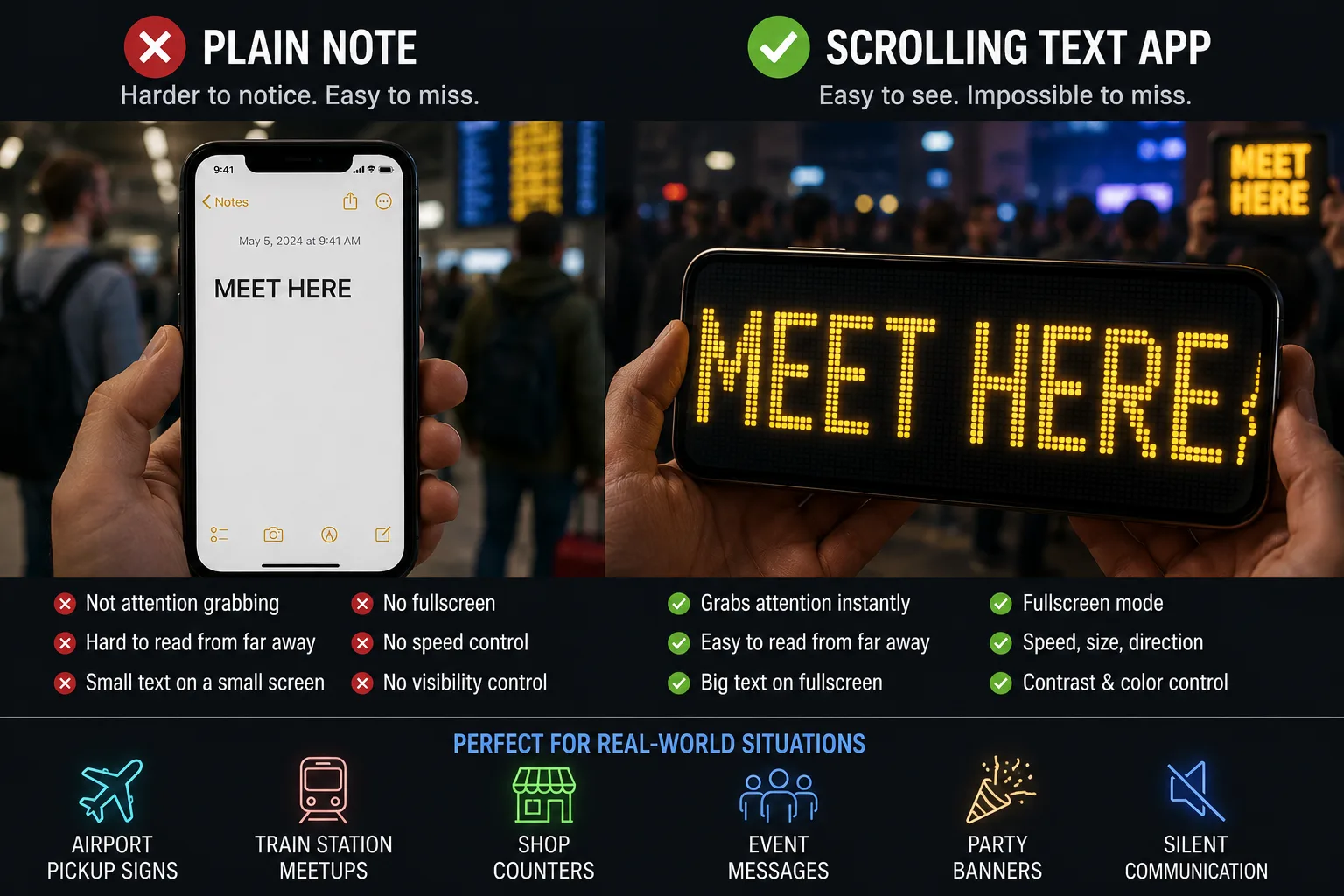
Side-by-side comparison
Here is the practical difference in one view.
Notes app
Strengths:
- instant access
- simple for one short static message
- no setup if you already use it
Weaknesses:
- limited visual impact
- less readable from a distance
- no scrolling motion
- usually more interface clutter
- weaker for busy or low-light environments
Scrolling text app
Strengths:
- fullscreen presentation
- motion that attracts attention
- easier readability at a distance
- controls for speed, size, direction, and contrast
- faster to reuse for repeated scenarios
Weaknesses:
- requires a dedicated app
- can be overkill for a tiny one-off close-range message
This is why the better option depends less on preference and more on context.
A quick decision test
Use this test before choosing between Notes and a scrolling text app.
| Question | If yes | Better choice |
|---|---|---|
| Will the other person be more than a few steps away? | Distance matters | Scrolling text app |
| Is the place crowded, loud, or visually busy? | Attention matters | Scrolling text app |
| Do you need to change the message quickly? | Reuse matters | Scrolling text app |
| Is it only one word shown up close? | Simplicity matters | Notes |
| Would the message fail if someone misses it the first time? | Visibility matters | Scrolling text app |
The easiest rule is this: if the message is private, close, and static, Notes is fine. If the message needs to act like a sign, use a scrolling text app.
Real examples where the answer changes
The difference becomes clearer when you look at actual messages.
| Message | Context | Better choice | Why |
|---|---|---|---|
TABLE 12 | showing a friend nearby | Notes | short and close-range |
WELCOME EMMA | airport arrivals | Scrolling text app | needs distance and attention |
50% OFF TODAY | shop counter | Scrolling text app | should look deliberate and public |
MEET AT EXIT B | station pickup | Scrolling text app | needs to be spotted quickly |
CALL ME | quiet room | Notes | simple static text is enough |
This is the kind of comparison that matters more than feature lists. The same phone can show text both ways, but the situation decides whether the text has to behave like a note or like a sign.
Best option for common real-world situations
Most people do not search this comparison in the abstract. They want to know what will work in the moment.
Airport or station pickup
Use a scrolling text app.
This is one of the easiest calls because the message needs to stand out in a visually noisy environment. A plain note usually looks too static and too small once there are people, bags, lights, and signs everywhere.
If that is your exact use case, How to Make a Pickup Sign on Your Phone goes deeper into the best setup.
Quick close-range message to one person
Notes can be enough.
If the other person is close and only needs to read one short word or phrase, opening Notes may be the fastest route.
Event, concert, or crowd message
Use a scrolling text app.
This is where movement and fullscreen presentation become much more useful than a static note. You want the message to catch attention, not just exist on the screen.
Shop counter or temporary notice
Usually a scrolling text app is better.
A note can technically work, but a dedicated app gives you a cleaner, more deliberate result that is easier for customers to spot quickly.
Birthday or fun message
A scrolling text app is usually the better experience.
This is partly about visibility and partly about presentation. Fullscreen motion simply feels more intentional and more expressive.
Why visibility changes the answer
This is the key idea behind the whole comparison.
Many people judge the tools too early by asking, "Can both show text?" But the better question is, "Which one helps the message get seen and understood faster?"
That is why Best Scrolling Text App for Phone Displays matters as a related guide. Once you understand that visibility is the real job, the features that matter become clearer:
- fullscreen mode
- readable text size
- speed control
- direction control
- strong contrast
- quick editing
Those are not novelty extras. They are the reasons a dedicated app outperforms a notes screen in real use.
A dedicated app also wins on reuse
Another practical reason a scrolling text app often wins is that it keeps being useful.
Notes is fine as an improvised workaround. A good scrolling text app becomes a tool you keep for future moments:
- pickups
- events
- counters
- birthday messages
- quick communication in noisy places
That matters because the value is not just in one message. It is in having a lightweight utility that solves the same kind of visibility problem again and again.
A practical recommendation
If you are deciding between Notes and a scrolling text app, the best rule is this:
- use Notes for a basic close-range static message
- use a scrolling text app when the message needs to be seen
For most real public-facing situations, LED Scroll Display is the more practical choice because it gives you fullscreen output, motion, quick readability controls, and a result that looks deliberate instead of improvised.


If you want the fastest next step, try the same short message both ways. The difference becomes obvious very quickly once you compare a plain note with a fullscreen scrolling display.