The fastest way to write a TikTok script is to start with one clear outcome, open with a reason to care, and use only the lines needed to get the viewer there. You do not need a complicated storyboard for every video. You need a structure that stops the scroll, gives useful value quickly, and ends with a natural next step.
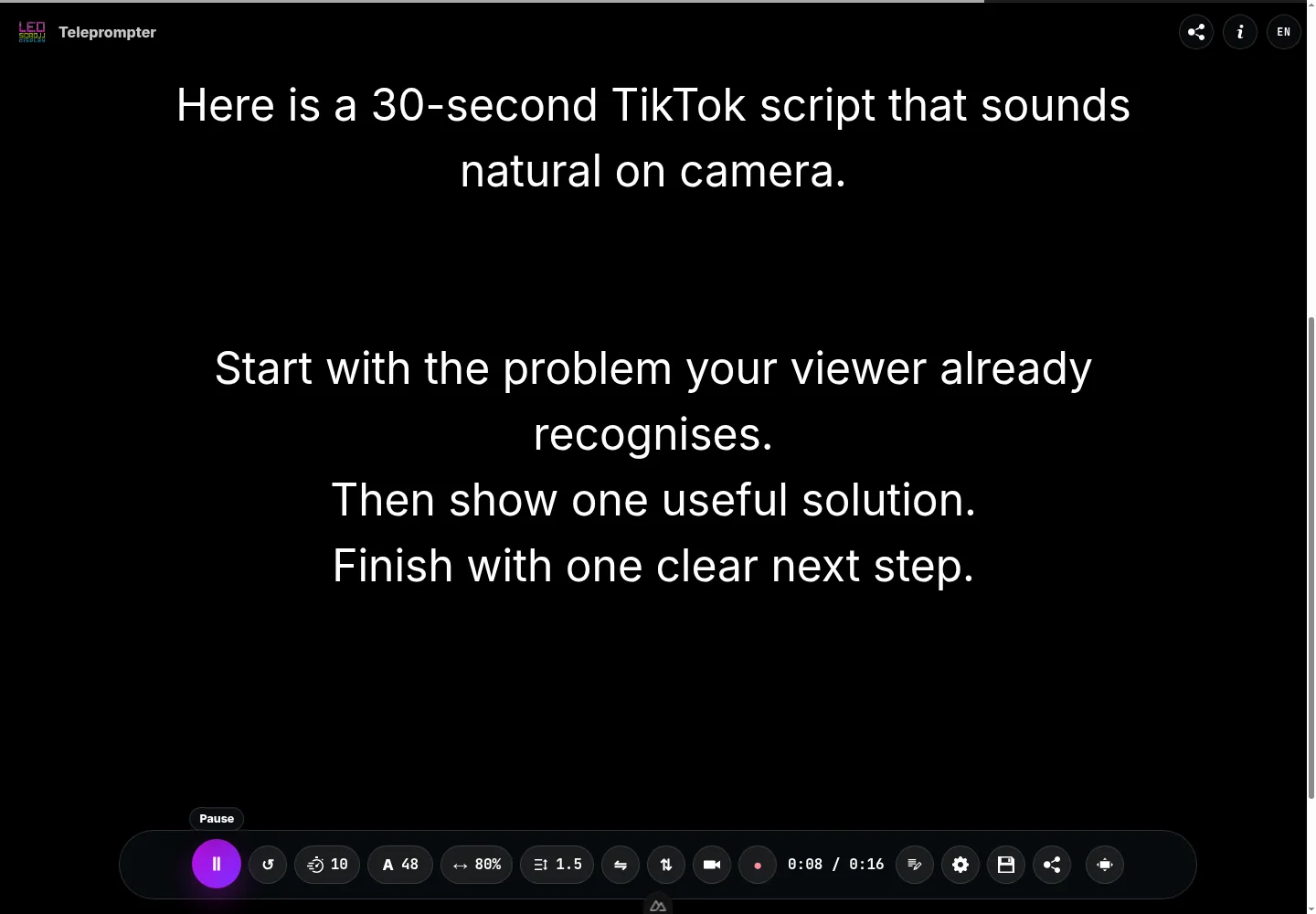
This guide gives you seven TikTok script templates you can adapt today. When you have chosen one, paste the draft into the free online teleprompter and read it out loud at the pace you would actually record. That is the quickest way to find wording that looks fine on paper but feels awkward on camera.
The simple TikTok script structure
Most short TikTok scripts have four parts:
- Hook: give the right viewer a reason to stay in the first sentence.
- Context: make the problem, result, or situation clear.
- Value: show the steps, proof, lesson, or transformation.
- Close: give a useful next action, such as trying a tip, saving the video, or answering a question.
The important part is not forcing every video into the same number of seconds. A 15-second tip and a 60-second demo should not have the same density. Start with the message, then remove anything that does not help the viewer understand it.
Before you write: choose one viewer and one result
Weak scripts often try to speak to everyone. A stronger script makes a narrow promise to a recognisable person.
Instead of: “Here are some social media tips,” try: “If your product videos get views but not clicks, fix this first.”
Write these two notes before drafting:
| Decide | Example |
|---|---|
| Who is this for? | A small business owner recording product videos |
| What will they get? | A simple structure for explaining a product in under 30 seconds |
This gives every line a job. It also helps you avoid opening with your name, a long introduction, or background the viewer does not need yet.
7 TikTok script templates with examples
1. Problem → fix → result
Use this when your viewer already feels a pain point and wants a practical answer.
Template: If you are struggling with specific problem, stop doing common mistake. Do simple fix instead. Here is why it works: brief explanation.
Ready-to-record script:
If people watch your product videos but never click, stop listing every feature first. Start with the annoying problem it removes. For example, instead of saying “our planner has six views,” say “stop losing client deadlines in five different places.” Then show the one view that fixes it. Your viewer understands the value before you ask them to buy. Save this before you write your next product video.
Practice this script in the teleprompter
2. The quick story
Use a short story when the lesson needs credibility or emotion. Keep the setup brief; the turning point is the reason people stay.
Template: I used to old situation. Then specific event happened. I changed one thing, and result happened. If you are in the same position, start with practical takeaway.
Ready-to-record script:
I used to delete the first ten takes of every video because I tried to memorise every word. Then I changed one thing: I wrote the hook, three key points, and the last line before I pressed record. My recordings became faster because I knew where I was going without trying to sound perfect. If you keep restarting your videos, try a simple structure before you try to memorise a longer script.
Practice this script in the teleprompter
3. Before → after → how
Use this template when the visual or verbal transformation is the strongest proof.
Template: This is what undesirable before looks like. This is what changed after action. The difference came from one to three steps.
Ready-to-record script:
This is a homepage that gets visits but no enquiries. It says “creative solutions for growing businesses,” which sounds nice but tells people nothing. This is the same page after we made the offer specific, showed one client result, and wrote the contact step in plain language. The design did not need to be louder. The message needed to be clearer. Look at your first headline and ask: would my best client know it is for them?
Practice this script in the teleprompter
4. Myth → reality → action
Use this for an opinion, misconception, or confusing topic. The contrast gives the opening natural tension without resorting to clickbait.
Template: You do not need common belief to get desired result. What you need is reality. Start by first action.
Ready-to-record script:
You do not need to memorise your entire script to sound confident on camera. That usually makes you sound more tense, not more natural. What you need is a clear structure and enough rehearsal to speak in your own rhythm. Start by shortening every sentence you would never say in a real conversation. Then read the draft once out loud and mark the places where you naturally pause. Your delivery will improve before you change any gear.
Practice this script in the teleprompter
5. Three-step mini tutorial
Use this for an immediately actionable process.
Template: Here is how to outcome in three steps. First, step one. Next, step two. Finally, step three. The part most people miss is important detail.
Ready-to-record script:
Here is how to write a short product video in three steps. First, name the moment your customer already recognises: “You have five minutes before the next client call and no idea what to post.” Next, show the product doing one useful thing. Finally, tell them what to do next: try this workflow for your next post. The part most people miss is writing around one use case, not every feature. One clear result is enough for one video.
Practice this script in the teleprompter
6. Demonstration with voiceover
Use this when the viewer needs to see a process, result, or product in action.
Template: Watch what happens when I action. First, visible step. Then, visible step. Notice proof or detail. This is useful when specific use case.
Ready-to-record script:
Watch what happens when I turn a rough idea into a 30-second script. First, I write the problem in one sentence: “You want to record more videos, but every draft sounds like an advert.” Then I add one example and one clear action. Notice that every line earns its place: no long introduction, no list of features, no extra point to explain. This is useful whenever you have an idea but do not know how to turn it into a video people will finish.
Practice this script in the teleprompter
Let the visual prove what the script says. The voiceover should guide attention, not narrate every movement the viewer can already see.
7. Direct invitation or callout
Use this when you know exactly who needs the message.
Template: If you are a specific person who wants result, try this: useful idea. It helps because reason. Save this for the next time you situation.
Ready-to-record script:
If you are a freelancer who freezes when recording an introduction video, try this. Write your first line as the answer to a question a client already has. For example: “If your website gets visits but not enquiries, I help you make the offer clear before you spend more on traffic.” It works because you begin with their problem, not your biography. Save this for the next time you need to introduce your service on camera.
Practice this script in the teleprompter
How to turn a template into a natural script
A template is a starting point, not a voice. Before recording, make it sound like something you would really say.
For a complete rehearsal method, including eye line, thought units, pacing, and timed cues, use our guide to reading a script naturally on camera.
Write for speech, not for an essay
Use contractions, short clauses, and familiar words. Read each line aloud. If you stumble twice, rewrite it. A useful test is whether you would say the sentence to one person across a table.
Give each sentence one job
Avoid stacking multiple points in one sentence. Make a specific claim and show proof. You can make the next video about the next benefit.
Mark pauses and visual changes
Pauses make a script easier to deliver and easier to edit. Add a slash, blank line, or a note such as “show result” where you want to breathe or change the shot. The online teleprompter also supports timed and manual pauses, which can help when a demo needs room to happen before the next line.
Start with a useful first sentence
Do not make the viewer wait for the subject. “Today I want to talk about…” is usually removable. Say the problem, result, question, or surprising fact first.
How many words fit in a TikTok script?
There is no universal answer, but word count gives you a sensible first draft. Many people speak around 130 to 160 words per minute when reading clearly for camera, with room for pauses, cuts, demonstrations, and emphasis.
| Video length | Practical starting range |
|---|---|
| 15 seconds | 30–40 words |
| 30 seconds | 65–80 words |
| 45 seconds | 95–120 words |
| 60 seconds | 130–160 words |
These ranges are deliberately not maximums. A slower delivery often feels more confident, and a demonstration can replace several spoken lines. Read your draft at recording pace, then cut rather than rushing.
A simple TikTok recording setup
A clear script and useful idea matter more than equipment. If your phone is difficult to position, your voice sounds distant, or the room is too dark, these three additions solve the most common recording problems without building a complicated studio.
An adjustable phone tripod
Choose a tripod that reaches eye level, holds your phone securely in portrait orientation, and lets you adjust the angle without loosening the whole mount. A small Bluetooth remote can also help when you record alone. Check the maximum height and phone-clamp width before buying.
Compare adjustable phone tripods on AmazonA wireless lavalier microphone
A clip-on wireless microphone is useful when the phone needs to sit farther away or you record in a room with noticeable echo. Look for a connector that matches your phone, simple gain controls, and a charging case if you plan to record regularly. For close indoor shots in a quiet room, test the phone microphone first—it may already be sufficient.
Compare wireless lavalier microphones on AmazonA compact adjustable LED light
A compact LED panel can make your face or product easier to see when window light is weak or changes during a recording session. Prefer adjustable brightness and colour temperature over decorative RGB effects. Place the light slightly above eye level and off to one side rather than pointing it straight at your face.
Compare compact video lights on AmazonStart with the one item that removes a real limitation. A tripod usually improves solo recording first; add a microphone or light only when your location makes it necessary.
A quick recording checklist
Before you hit record, check the script against this list:
- Does the first line tell the right person why to keep watching?
- Is there one main takeaway rather than several competing ideas?
- Can you show, demonstrate, or give an example of the claim?
- Does every sentence sound natural aloud?
- Is the closing action useful and proportionate to the video?
If you want to record without trying to memorise each line, open the free browser teleprompter, paste your final script, and adjust the speed until it matches your speaking rhythm. You can increase the text size, use full screen, and rehearse a take before turning on a camera. The script stays in your browser, so there is no account or upload step.
The best TikTok scripts make one promise and keep it
The goal is not to sound like a polished advert. Pick one template, fill it with a real problem or result, cut the unnecessary setup, and read it aloud once before recording.
As you make more videos, save the structures that fit your voice. A reliable script format does not make your content repetitive; it gives you more energy to improve the example, delivery, and point of view that make the video yours.